Praktika’s Newsletter November 2025
Dear Praktika Community,
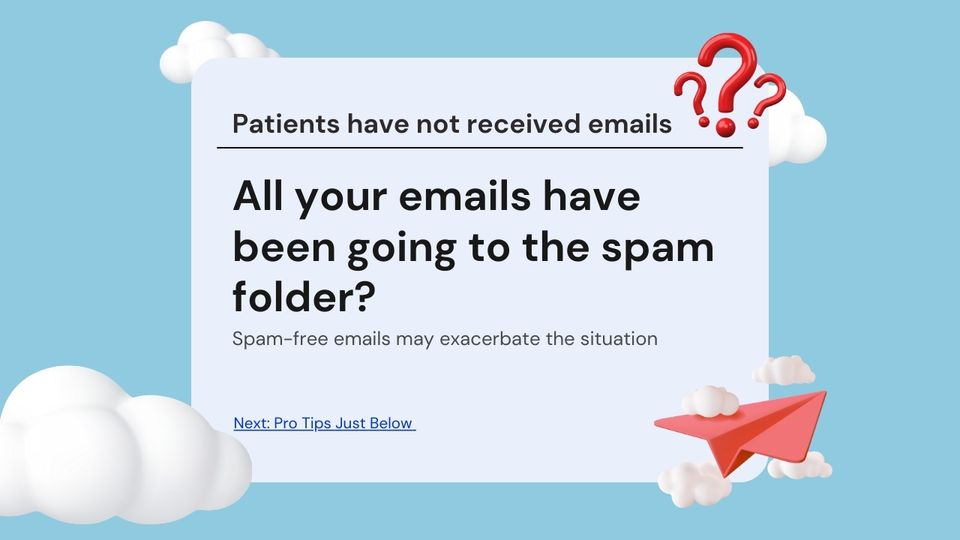
We would like to share an important update regarding email delivery in Praktika.
In recent months, email providers such as Microsoft and Gmail have implemented stricter rules to protect their users from spam. Unfortunately, these changes have caused some disruptions in the delivery of Praktika emails.
What has changed?
Praktika clients have sent approximately 2 million emails in the past year. Due to this high volume, email providers closely scrutinise emails sent from Praktika servers.
Different providers now require additional security checks before they will accept emails:
- Microsoft (Outlook, Hotmail, Live, Office 365):
Microsoft has been intermittently blocking Praktika emails due to complaints from recipients. Recently, Microsoft completely blocked our servers based on the IP address. We have attempted to appeal this block, but Microsoft Support maintains that it is a result of non-compliant emails originating from our servers. Additionally, Microsoft now requires that any email-sending system has a DMARC policy specified for the sending domains. - Gmail: Google since March 2024 required that the SPF records of the domain match the sender.
- Other providers: Some clinics implemented very strict email security rules that require DKIM records to verify that emails are digitally signed by the sender’s domain. Again, this is not technically feasible for Praktika to set those domains individually for thousands of practice domains.
Because of these rules, some patients and providers may not have received emails reliably.
What we have done
To address these restrictions, we have introduced a new system that allows practices to use their own email servers instead of relying on Praktika’s. This change ensures that all security requirements are automatically met, as emails will be sent directly from your practice’s email system.
Here’s what we’ve implemented:
- ? Microsoft Office 365 integration (with OAuth 2.0 login)
- ? Gmail integration (with OAuth 2.0 login)
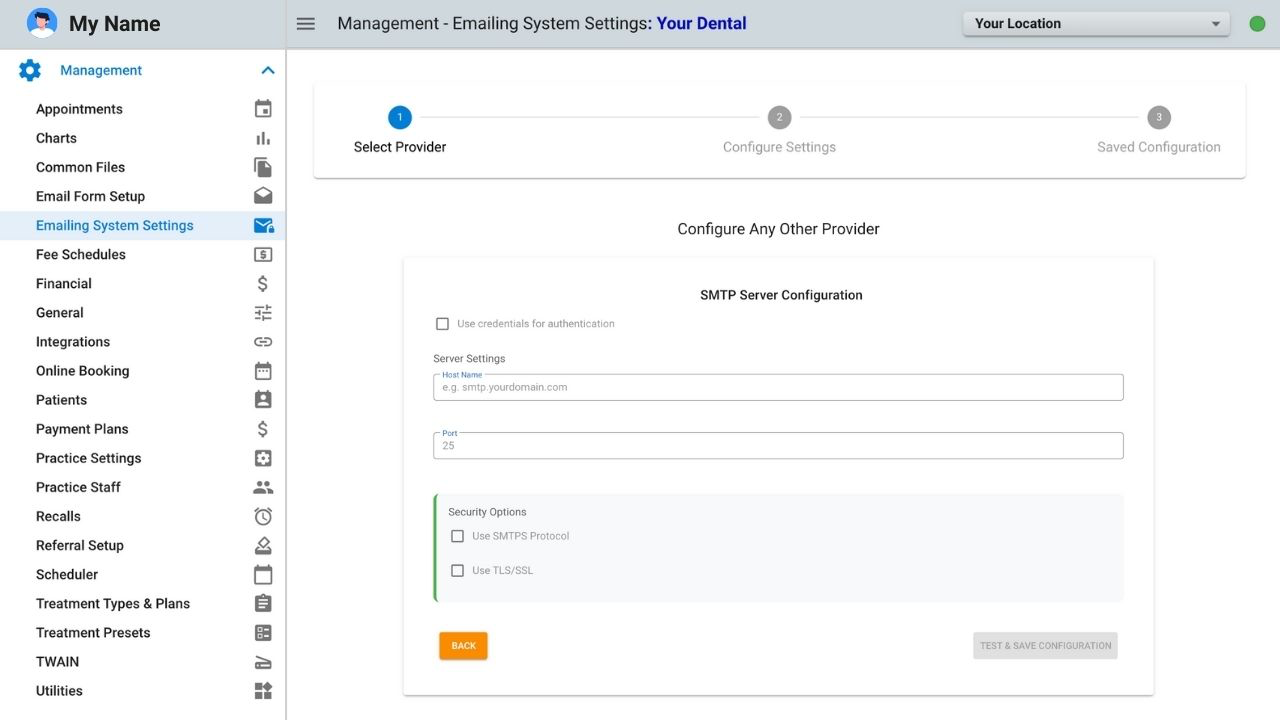
- ? Custom SMTP option (for practices using other providers)
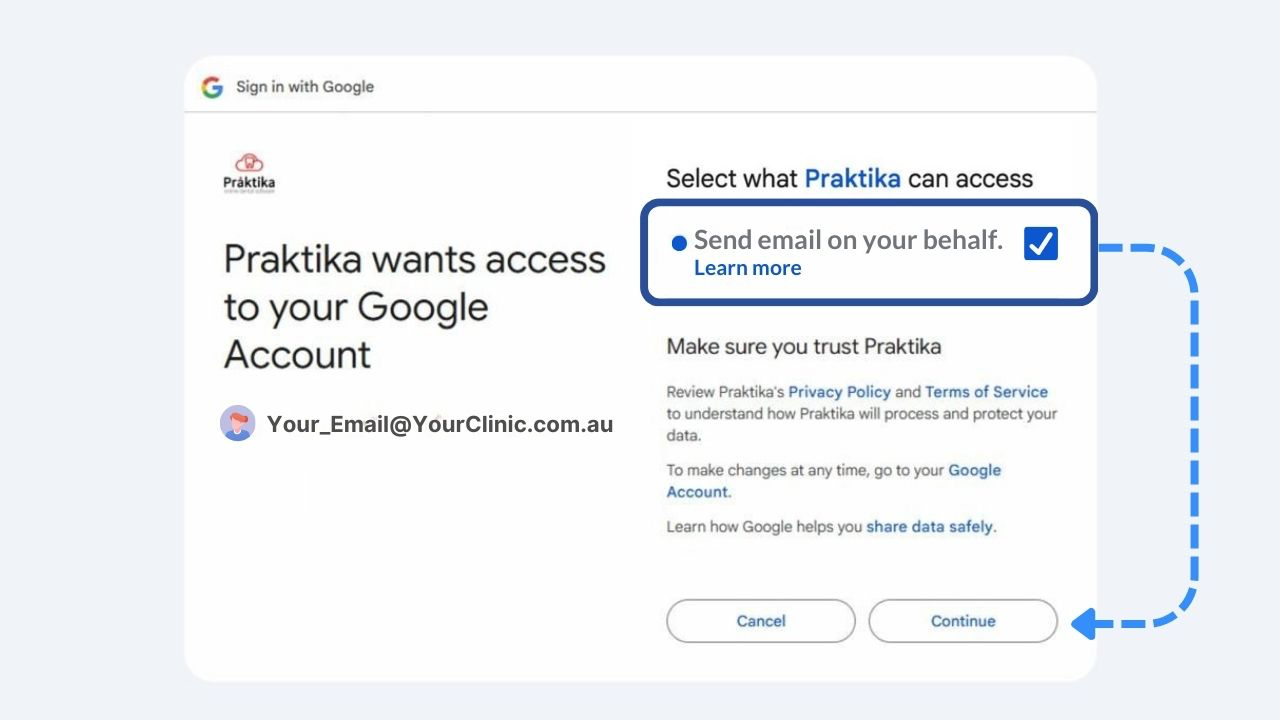
With OAuth 2.0, practice managers only need to sign in once to their Microsoft or Gmail account and grant Praktika permission to send emails on their behalf.
What practice managers need to do
To make sure your practice’s emails are delivered reliably, please:
- Login to Praktika as a PracticeManager.
- Go to Settings?Email Configuration.
- Choose your provider
- If you use Microsoft Office 365, select the Office 365 option and sign in.
- If you use Gmail, select the Gmail option and sign in.
- If you use another provider, choose Custom SMTP and enter your details.
- Save your settings. Praktika will then send all emails directly through your practice’s account.
This change will significantly improve deliverability and minimise the chances of your messages being blocked or marked as spam.
We strongly recommend that all practices adopt this new setup as soon as possible.
Please see below the screenshots of the different email systems setup.
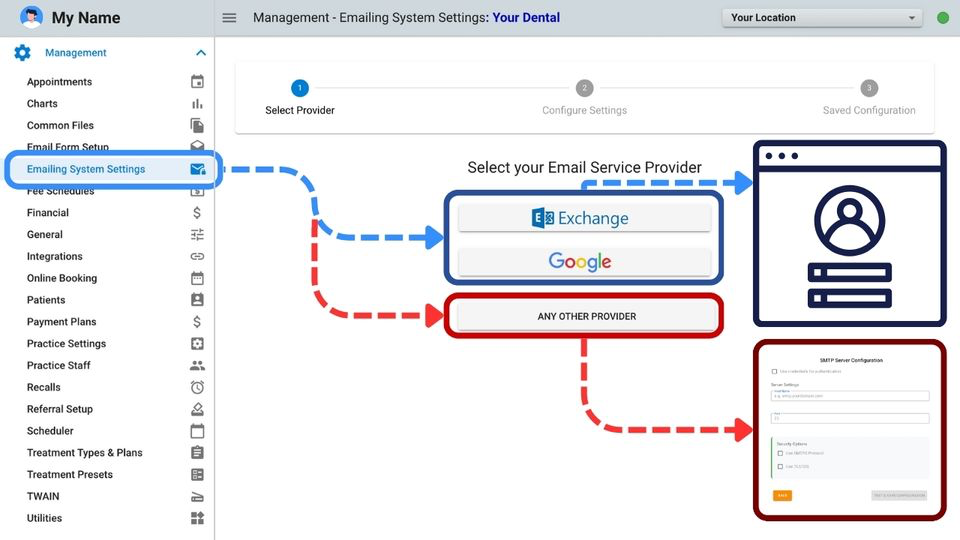
Microsoft Outlook/Hotmail/Live accounts
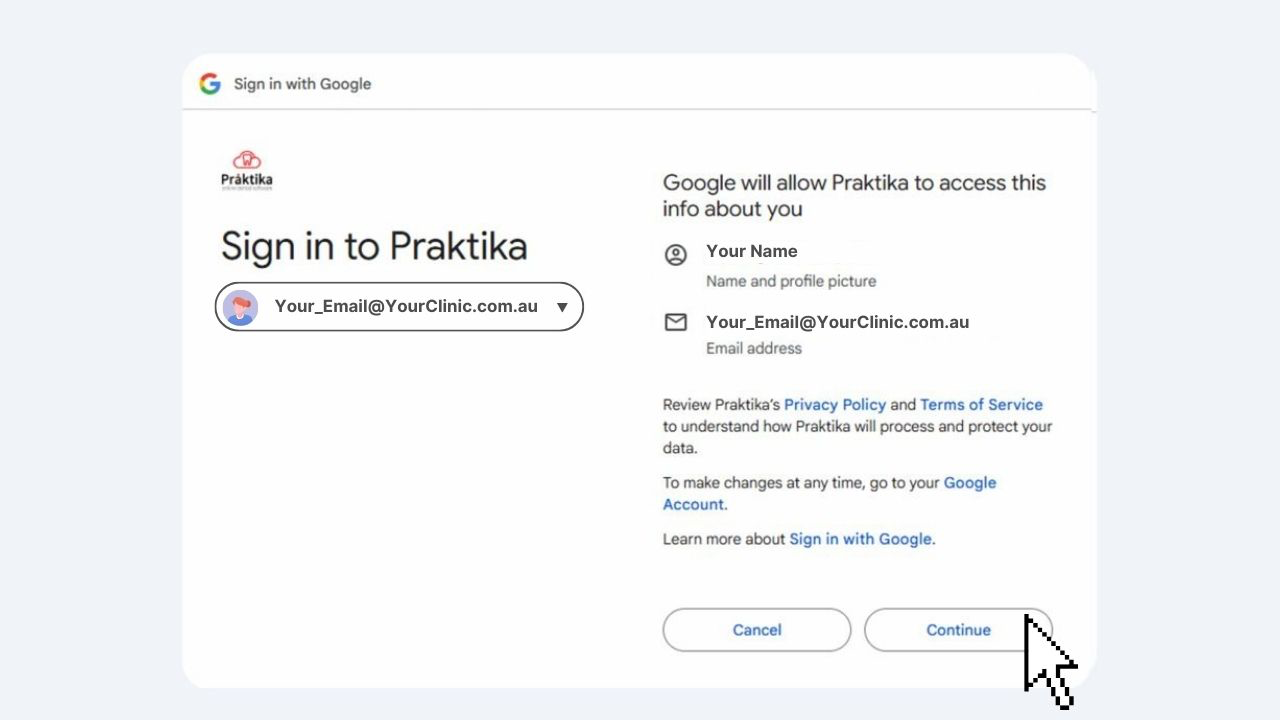
Google’s Gmail account authorisation
All other email systems:
What if our emails are still not being delivered?
It is also important to update your practice domain records: SPF, DKIM and
DMARC.
The SPF records should allow any 3rd party systems (such as Gmail or Office 365)
to send emails on behalf of your practice.
This is an example of the SPF record for the domain that uses Office 365:
v=spf1 include:spf.protection.outlook.com -all
And this is an example of the SPF record for the domain that uses Google Workspace/Gmail:
v=spf1 include:_spf.google.com -all
DKIM records is just a digital signature added to the emails sent on behalf of the
domain and can be generated by your hosting provider.
DMARC Policy should be added to decrease the chances of the emails ending up in the SPAM folders.
Here is the example of the simplest DMARC record:
v=DMARC1; p=none;
Thank you for your patience and understanding while we worked through these challenges. We are committed to ensuring Praktika remains a reliable and secure platform for your practice.
That’s it for now, but more new features and updates are coming. Please feel free to reach out with questions or feedback.
How to stay in touch?
-
Subscribe to our Youtube channel to watch all new how-to videos from our support team.
-
Join our Facebook Praktika Users group to connect with other Praktika users.
-
Join our Telegram Channel to be notified of new updates and releases.
-
Follow us on LinkedIn.
-
Like our Facebook page.
-
Follow us on Instagram account.
Best regards,
The Praktika Team